
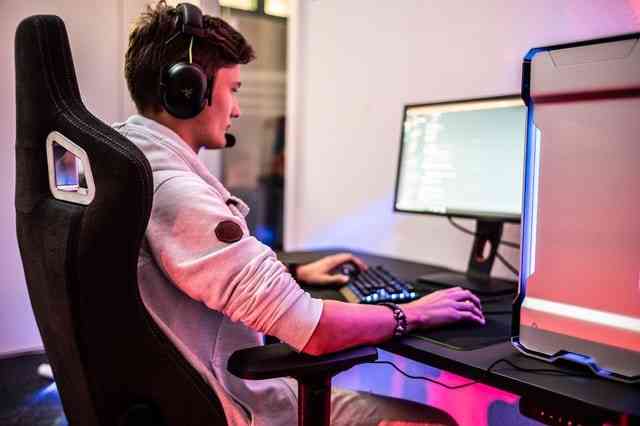
A gaming setup is more than just a computer or console. It’s a complete environment designed for performance, comfort, and immersion. Whether you’re a beginner gamer or someone planning to upgrade, the right setup can completely change your gaming experience.
Many people think a powerful PC is enough, but in reality, desk layout, monitor choice, accessories, and ergonomics all matter just as much.
This guide will walk you through everything step by step, including a comparison table to help you choose the best setup for your needs and budget.
Table of Contents
- What is a Gaming Setup?
- Types of Gaming Setups
- Essential Components of a Gaming Setup
- Budget vs Mid-Range vs High-End Setup Comparison
- Gaming Desk Setup Tips
- Accessories You Should Not Ignore
- Cable Management and Organization
- Common Mistakes in Gaming Setup
- Best Setup Recommendations
- FAQ
- Conclusion
1. What is a Gaming Setup?
A gaming setup is a combination of hardware, furniture, and accessories used for gaming.
It includes:
- PC or console
- Monitor or TV
- Keyboard and mouse or controller
- Desk and chair
- Lighting and accessories
A good setup improves comfort, performance, and gaming experience.
2. Types of Gaming Setups
1. PC Gaming Setup
Best for high performance, customization, and competitive gaming.
2. Console Gaming Setup
Simple setup using PlayStation, Xbox, or Nintendo Switch.
3. Hybrid Setup
Combination of PC and console for versatility.
3. Essential Components of a Gaming Setup
Core items you need:
- Gaming PC or console
- Monitor (high refresh rate preferred)
- Keyboard and mouse or controller
- Gaming chair
- Desk with enough space
- Headset for communication
Optional upgrades:
- RGB lighting
- Dual monitors
- Streaming camera
4. Gaming Setup Comparison Table
| Feature | Budget Setup | Mid-Range Setup | High-End Setup |
|---|---|---|---|
| Performance | Basic gaming (1080p low-medium) | Smooth gaming (1080p-1440p high) | Ultra performance (1440p-4K ultra settings) |
| Graphics Card | Entry-level GPU | Mid-range GPU | High-end GPU |
| Processor | Basic CPU | Strong multi-core CPU | High-performance CPU |
| Monitor | 60Hz standard | 144Hz gaming monitor | 240Hz+ ultra gaming monitor |
| RAM | 8GB | 16GB | 32GB+ |
| Storage | HDD or small SSD | SSD recommended | High-speed NVMe SSD |
| Peripherals | Basic keyboard/mouse | Gaming accessories | Premium mechanical + RGB setup |
| Cost Range | Low | Medium | High |
| Ideal For | Beginners | Regular gamers | Competitive/pro gamers |
5. Gaming Desk Setup Tips
A clean desk improves performance and comfort.
Tips:
- Use a spacious desk
- Keep monitor at eye level
- Maintain proper chair posture
- Avoid clutter
Ideal setup layout:
- Monitor centered
- Keyboard and mouse within easy reach
- Headset stand on side
Good layout reduces fatigue during long gaming sessions.
6. Essential Gaming Accessories
1. Gaming Chair
Supports posture and reduces back pain.
2. Mechanical Keyboard
Improves speed and responsiveness.
3. Gaming Mouse
Offers precision control.
4. Headset
Enhances communication and immersion.
5. Mouse Pad
Improves accuracy and movement.
7. Cable Management Tips
Messy cables can ruin a setup.
Simple solutions:
- Use cable ties
- Route cables behind desk
- Use cable trays
- Label important cables
A clean setup improves both looks and usability.
8. Common Gaming Setup Mistakes
1. Ignoring Comfort
Performance matters, but comfort is equally important.
2. Poor Monitor Placement
Causes neck strain and discomfort.
3. Overspending on Looks
RGB lighting is optional, not essential.
4. Weak Internet Setup
Affects online gaming performance.
5. No Upgrade Planning
Always plan for future upgrades.
9. Best Gaming Setup Recommendations
Beginner Setup:
- Entry-level PC or console
- 60Hz monitor
- Basic accessories
Intermediate Setup:
- Mid-range PC
- 144Hz monitor
- Mechanical keyboard + gaming mouse
Pro Setup:
- High-end PC
- 240Hz+ monitor
- Full RGB setup + streaming gear
10. FAQ: Gaming Setup
1. What is the most important part of a gaming setup?
The PC or console and monitor are the most important components.
2. Do I need an expensive setup to start gaming?
No, a budget setup is enough for beginners.
3. Is 144Hz monitor necessary for gaming?
It is not necessary but improves smoothness significantly.
4. What is better: PC or console gaming?
PC offers more performance and customization, while console is simpler.
5. How much does a gaming setup cost?
It can range from low-budget setups to high-end premium setups depending on components.
11. Conclusion
A gaming setup is about balance, not just expensive parts. The best setup depends on your budget, gaming style, and comfort needs.
Whether you choose a simple console setup or a high-end gaming PC, focus on performance, ergonomics, and organization. A well-planned setup improves not only your gaming experience but also your overall comfort and productivity.
The key is to start small, upgrade smartly, and build a setup that fits your personal needs.